
Scriptable Event
All the types that inherit from ScriptableEvent<T> are events. They can be used to invoke events with a single argument (or no argument).
They are always named along the lines of ScriptableTypeEvent. For example: ScriptableBoolEvent, ScriptableFloatEvent, and ScriptableVector3Event.
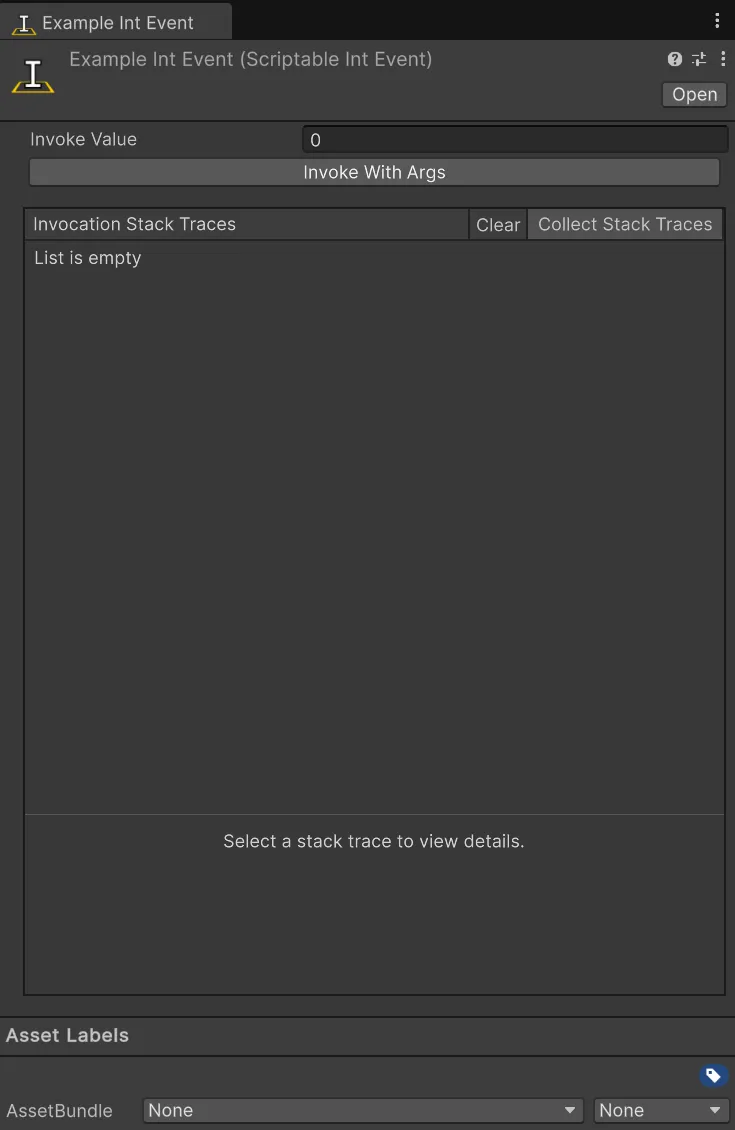
Using a Scriptable Event in your code is really straight forward. You can use the Invoke method to invoke the event. For example:
using Hertzole.ScriptableValues;using UnityEngine;
public class PlayerHealth : MonoBehaviour{    public ScriptableIntEvent onHealthChanged;
    private int currentHealth = 100;
    public void TakeDamage(int damage)    {        currentHealth -= damage;        // Passing 'this' as the sender so we know what invoked the event        onHealthChanged.Invoke(this, currentHealth);    }}
Then you can use the events to get notified when the event is invoked. For example:
using Hertzole.ScriptableValues;using UnityEngine;using UnityEngine.UI;
public class HealthUI : MonoBehaviour{    public ScriptableIntEvent onHealthChanged;    public Text healthText;
    private void OnEnable()    {        onHealthChanged.OnInvoked += OnHealthChanged;    }
    private void OnDisable()    {        onHealthChanged.OnInvoked -= OnHealthChanged;    }
    private void OnHealthChanged(object sender, int newValue)    {        healthText.text = "Health: " + newValue.ToString();    }}
Remember to unsubscribe from events when you no longer need them. See the events section for more information.
Included Types
Section titled “Included Types”The following types are included:
boolBoundsBoundsIntbytecharColorColor32decimaldoublefloatintlongQuaternionRectRectIntsbyteshortstringuintulongushortVector2Vector2IntVector3Vector3IntVector4
A Scriptable Event without any args is also included, simply just called ScriptableEvent. This is useful for events that don’t need any arguments.
Creating Your Own Scriptable Event
Section titled “Creating Your Own Scriptable Event”Creating your own Scriptable Event is really easy! All you need to do is inherit from ScriptableEvent<T>.
using Hertzole.ScriptableValues;using UnityEngine;
[CreateAssetMenu]public class ScriptableMyTypeEvent : ScriptableEvent<MyType>{    // You can add any custom logic here if you want}
If you want to extend the functionality of your own Scriptable Event you can override a few methods.
using Hertzole.ScriptableValues;using UnityEngine;
[CreateAssetMenu]public class ScriptableMyTypeEvent : ScriptableEvent<MyType>{    // Called before the event is invoked    protected override bool OnBeforeInvoked(object sender, MyType args)    {        // Do something before the event is invoked        return true; // Return false to prevent the event from being invoked    }
     // Called after the event has been invoked    protected override void OnAfterInvoked(object sender, MyType args))    {        // Do something after the event has been invoked    }}